Forges
PinkSalmon Cloud Services code forges provide the tools you need to host source code, collaborate on projects and track changes.
What is a PinkSalmon forge for?
A forge brings together several activities around your code repositories:
- Version control with Git: keep a history of changes and work on multiple branches.
- Issue and feature tracking: report problems, suggest improvements and track progress.
- Release management: publish versions and associated assets (test reports, documentation, etc.).
- Continuous integration and deployment (CI/CD): automate tasks such as builds across operating systems and compilers, tests and documentation generation.
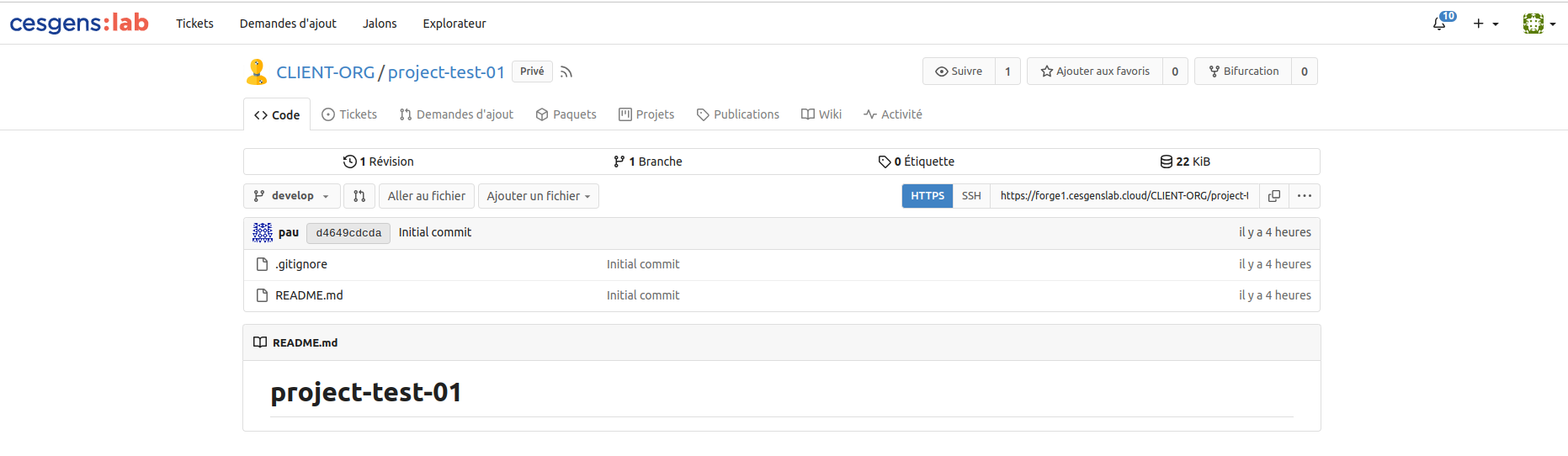
The available forges are based on Gitea, Forgejo or GitLab. The interface and features depend on your forge software and configuration.
Access your forge in a browser
Forge addresses follow these patterns:
https://forge-xx.pinksalmon.cloudhttps://forge-xx.cesgenslab.cloud
Open your forge address; xx identifies the instance you can access.
The web interface uses PinkSalmon Cloud single sign-on (SSO). See the PinkSalmon Cloud authentication guide to sign in.
Configure Git access
To clone a repository and exchange changes from your workstation, configure Git access. These guides apply to Forgejo and Gitea forges:
| Access method | Authentication | Guide |
|---|---|---|
| HTTPS | Username and personal access token (PAT) | Configure Git over HTTPS |
| SSH | SSH key added to your forge account | Configure Git over SSH |
Choose a method, follow its guide, then copy the corresponding clone URL from your repository to start working.