Add a personal access token (PAT) to a Forgejo or Gitea forge
This guide shows how to add and use a personal access token on a PinkSalmon Forgejo or Gitea forge, for example to use Git over HTTPS or access forge resources.
Add the PAT
- Sign in to the PinkSalmon forge.
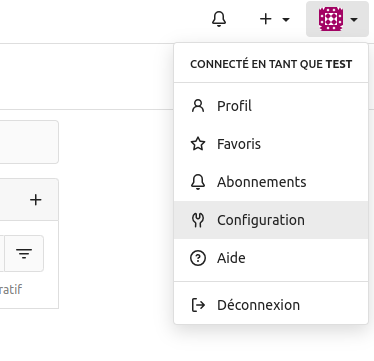
- In the top-right user dropdown, click Settings (
Configurationin the French interface).
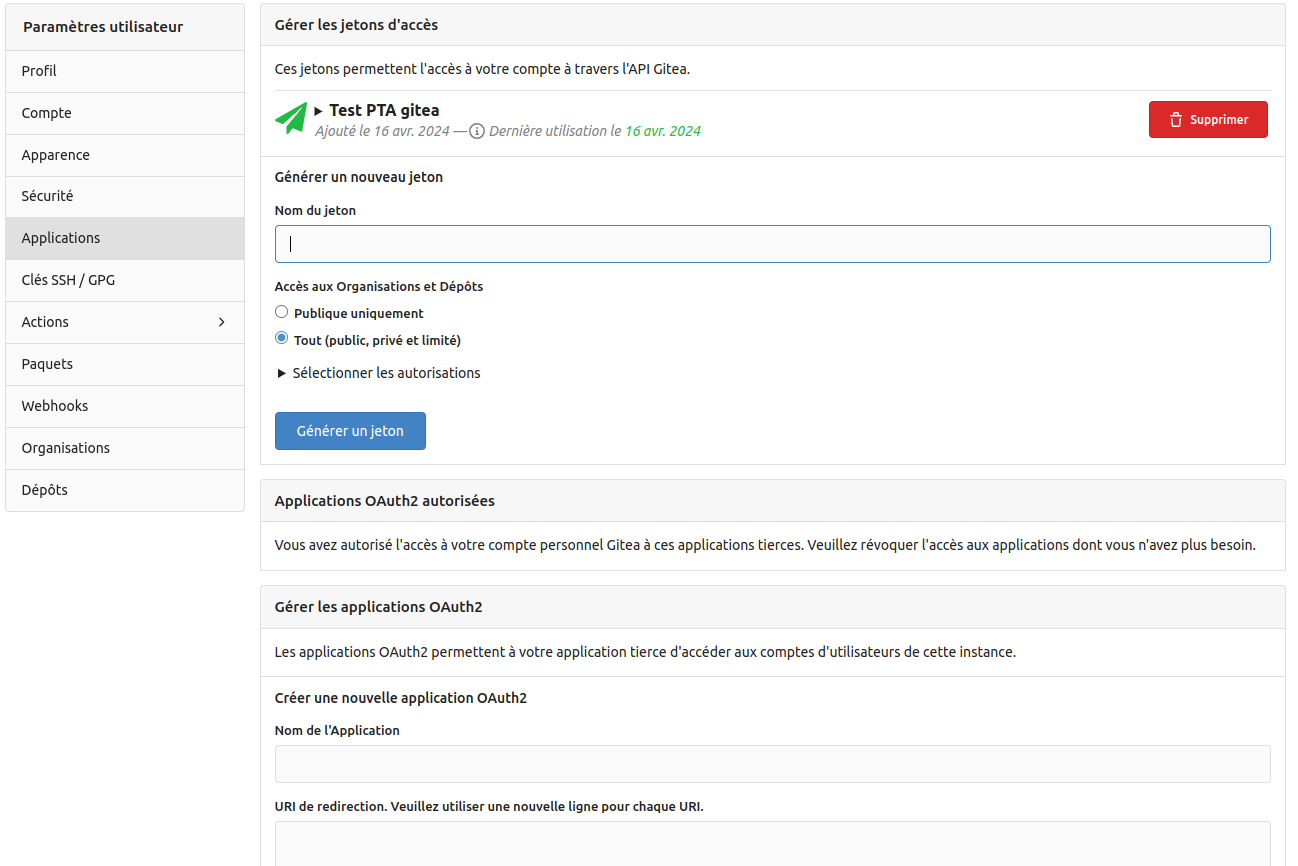
- In the settings on the left, select Applications. Under Manage Access Tokens (
Gérer les jetons d'accès), enter a token name in Generate New Token (Générer un nouveau jeton). - Under Organisation and Repository Access (
Accès aux Organisations et Dépôts), select All (public, private and limited) (Tout (public, privé et limité)), then click Select permissions (Sélectionner les autorisations).
- In the
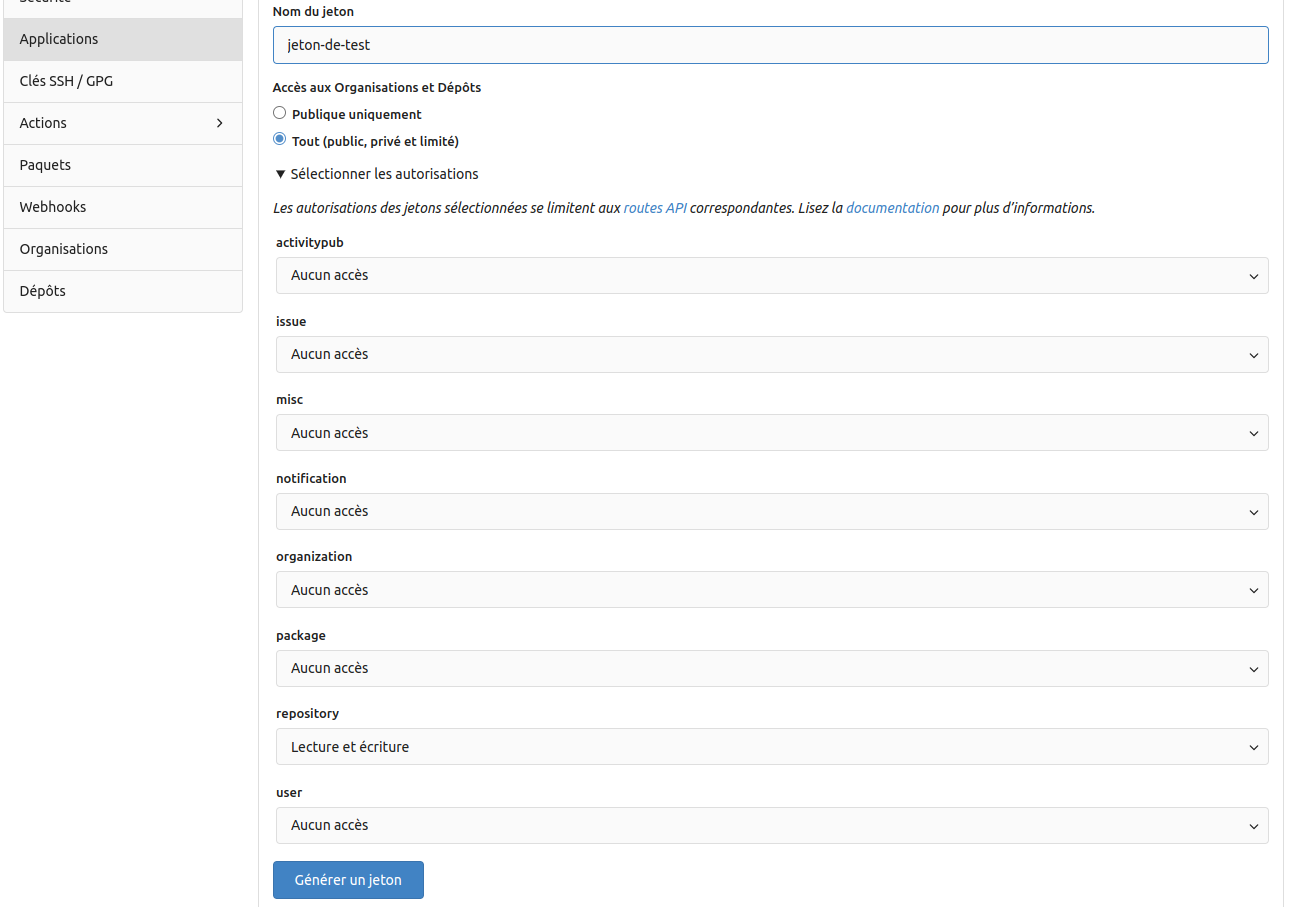
repositorydropdown, select Read and Write (Lecture et écriture).
Warning
Required for Git access over HTTPS.
- In the
packagedropdown, select Read and Write (Lecture et écriture).
Warning
Required for package access (Python via pip, etc.).
- Finally, click Generate Token (
Générer un jeton).
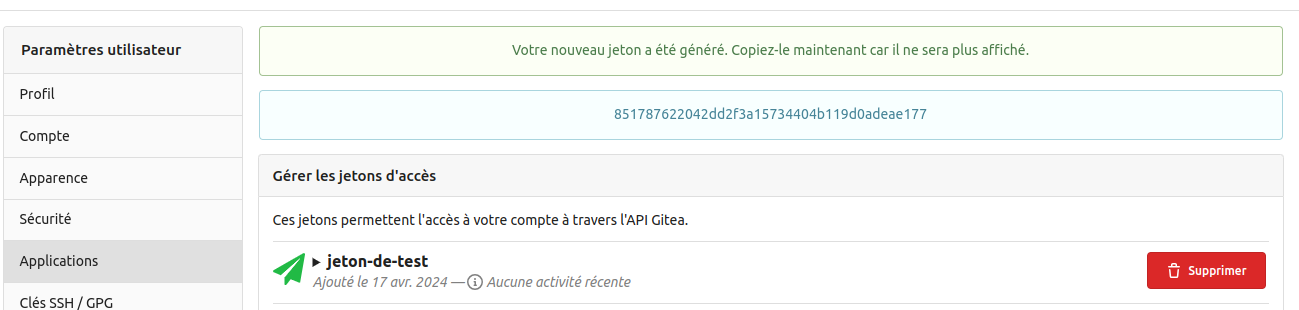
The token appears at the top of the Manage Access Tokens section.
WARNING
The token is displayed only once and cannot be viewed again. If you lose it, you will need to create another one.